






Kuaj cov WordPress plugin ua ntej hloov tshiab hauv 24 teev yog ib txoj hauv kev sib npaug ntawm ob lub hom phiaj: kho qhov khoob ruaj ntseg kom ntxov thiab tsis tso ib qho kev tso tawm uas tseem tsis tau txheeb xyuas rau hauv lub website uas tab tom khiav. Txoj kev no pab tau tshwj xeeb rau cov website muag khoom, tswv cuab, xov xwm lossis cov tshuab uas muaj ntau plugin txuas ua ke.
WordPress txhawb kom qhib kev hloov tshiab tsis siv neeg rau ib lub plugin zuj zus txij li version 5.5. Raws li ntaub ntawv raug cai, lub tshuab feem ntau khiav cov haujlwm hloov tshiab tsis siv neeg kwv yees li ob zaug hauv ib hnub thiab xa email thaum hloov tshiab tiav lossis ua tsis tiav (raws li WordPress.org). Txawm li cas los, WordPress plugin auto update tsis hloov tau qhov kev tshuaj xyuas kev hloov pauv, kev thaub qab thiab kev sim.
Vim li cas thiaj tsim nyog ncua kev hloov tshiab plugin 24 teev?
Ib qho kev hloov tshiab tshiab yuav kho tau teeb meem ruaj ntseg, tab sis kuj yuav ua rau tsis sib haum nrog WordPress, PHP, theme lossis lwm plugin version. Qhov pheej hmoo tsis yog los ntawm kev sau program yuam kev xwb. Yog tus account tso tawm, qhov chaw khaws source code lossis txheej txheem ntim khoom raug txeeb, ib qho kev hloov tshiab raug cai kuj yuav hloov ua ib txoj kev faib malware.
Qhov kev pheej hmoo zoo li no feem ntau hu ua WordPress supply chain attack: lub website tau txais malware los ntawm ib feem uas tus thawj tswj hwm yeej ntseeg siab. Thaum Lub Rau Hli 2026, WordPress tshaj tawm tias tab tom sim lub sijhawm tos ntev tshaj 24 teev ua ntej plugin thiab theme version tshiab yuav raug faib los ntawm kev hloov tshiab tsis siv neeg, txhawm rau tsim sijhawm ntxiv rau tshuaj xyuas cov kev hloov pauv (raws li WordPress.org).
Lub sijhawm no tsis yog lus cog tseg tias plugin yuav nyab xeeb tag nrho. Nws tsuas tsim ib “qhov rai soj ntsuam” kom koj kuaj tau:
- Puas yog changelog phim nrog version tshiab.
- Puas yog tus tsim kho tau teb rau cov teeb meem txawv txav.
- Puas yog staging website muaj teeb meem ntawm interface, PHP, REST API lossis kev them nyiaj.
- Puas yog cov file plugin muaj kev hloov pauv txaus ntshai lossis kev txuas sab nraud uas tsis tsim nyog.
Cov xwm txheej ceev yuav tsum daws txawv. Yog qhov kev hloov tshiab kho ib qho kev ruaj ntseg uas tab tom raug siv tawm tsam, tsis tsim nyog tos kom puv 24 teev raws cai xwb. Xub hloov tshiab tom qab thaub qab, kuaj qhov chaw tso tawm thiab npaj txoj kev rov qab kho.
Txheej txheem kuaj WordPress plugin ua ntej hloov tshiab hauv 24 teev
Kauj ruam 1: Sau tseg version thiab theem tseem ceeb
Thaum muaj ntawv ceeb toom hloov tshiab, sau tseg plugin lub npe, version tam sim no, version tshiab, lub sijhawm tso tawm thiab lub website uas siv plugin ntawd. Faib plugin raws li theem cuam tshuam:
- Siab: WooCommerce, qhov rooj them nyiaj, nkag mus, tswv cuab, thaub qab, ruaj ntseg, cache lossis plugin uas ua cov ntaub ntawv qhua.
- Nruab nrab: form, SEO, kev tshawb nrhiav, email marketing thiab kev txuas CRM.
- Tsawg: widget, teeb pom kev interface lossis cuab yeej siv hauv thaj chaw tswj hwm xwb.
Kev hloov tshiab ntawm plugin theem siab yuav tsum tau tshuaj xyuas thiab tso cai los ntawm neeg. Rau plugin theem tsawg, koj tuaj yeem siv automation ntau dua yog tias twb muaj thaub qab thiab kev saib xyuas zoo.
Kauj ruam 2: Nyeem changelog thiab kuaj qhov chaw tso tawm
Tsis txhob nias “Update now” tam sim thaum pom ntawv ceeb toom. Qhib nplooj plugin raug cai, nyeem changelog, PHP version uas yuav tsum muaj, WordPress version uas sib haum thiab cov lus qhia hloov kho. Plugin uas nruab los ntawm ZIP file lossis qhov chaw lag luam yuav tsis qhia ntawv ceeb toom ib yam li plugin hauv WordPress.org directory; thaum ntawd yuav tsum kuaj tus neeg muag khoom lub vev xaib thiab nws tus txheej txheem hloov tshiab (raws li WordPress.org).
Nres ib ntus yog ntsib ib qho ntawm cov cim hauv qab no:
- Tus sau lossis tus neeg muab kev pab lub npe hloov txawv txav.
- Changelog luv dhau txawm tias version hloov loj.
- Plugin thov kev tso cai lossis kev txuas sab nraud uas tsis cuam tshuam rau nws txoj haujlwm.
- Zej zog ceeb toom txog teeb meem loj, kev hloov mus rau nplooj txawv, tus account tswj hwm txawv txav lossis cov file tshiab uas tsis paub keeb kwm.
Yog koj tab tom tsim ib daim checklist siv ntev, koj tuaj yeem saib checklist kuaj WordPress plugin thiab theme kom ntxiv cov khoom yuav kuaj raws li version.
Kauj ruam 3: Thaub qab thiab tsim WordPress staging site
Ua ntej hloov tshiab, tsim ib daim thaub qab uas suav nrog database thiab tag nrho WordPress file. Kuaj daim thaub qab los ntawm kev lees paub tias file rub tau, database qhib tau thiab tau sim txoj kev rov qab kho tsawg kawg ib zaug.
Tom ntej no, tsim ib WordPress staging site uas zoo ib yam li lub website tiag kom ntau li ntau tau. Staging yuav tsum siv:
- PHP thiab WordPress version tib yam.
- Database luam tshiab tsis ntev los no, tab sis tau zais lossis hloov cov ntaub ntawv rhiab heev.
- Theme, plugin, cache configuration thiab kev txuas sab nraud tib yam.
- Hom thaiv kev txheeb xyuas hauv search index thiab txwv kev nkag los ntawm password lossis IP.
Tsis tsim nyog sim los ntawm kev luam plugin file mus rau ib daim nplaub tshev khoob xwb. Ntau yam teeb meem tsuas tshwm thaum plugin cuam tshuam nrog cov ntaub ntawv, cron, webhook, cache lossis txheej txheem them nyiaj tiag.
Kauj ruam 4: Sim hloov tshiab thiab kuaj cov haujlwm tseem ceeb
Hauv staging, hloov tshiab plugin uas yuav kuaj ib leeg ua ntej. Tsis txhob hloov kaum plugin tib lub sijhawm, vim yog muaj teeb meem koj yuav nyuaj txheeb xyuas qhov ua rau. Tom qab ntawd kuaj:
- Nplooj home, nplooj kab lus, nplooj tiv tauj thiab cov qauv interface tseem ceeb.
- Nkag mus, tawm mus, kev faib cai thiab rov teeb password.
- Form xa ntaub ntawv, email ceeb toom thiab webhook.
- Laub khoom, them nyiaj, code txo nqi thiab email xaj khoom yog lub website yog lag luam online.
- REST API, XML-RPC yog tseem siv, cron thiab cov haujlwm tom qab.
- PHP log, server log, JavaScript yuam kev thiab Site Health ceeb toom.
Kom yooj yim dua rau kev saib xyuas website, koj kuj tuaj yeem saib ntxiv WordPress cov cuab yeej tswj hwm hauv browser yog koj cov txheej txheem yuav tsum tshuaj xyuas ntau lub vev xaib.
Kauj ruam 5: Tshuaj xyuas kev ruaj ntseg thiab cov ntaub ntawv hloov pauv
Kev ruaj ntseg ntawm WordPress plugin tsis yog tsuas yog tshuaj xyuas seb lub plugin puas muaj CVE xwb. Koj kuj yuav tsum xyuas seb muaj ntaub ntawv twg raug ntxiv, hloov kho lossis rho tawm tom qab hloov tshiab. Tshwj xeeb yog xyuam xim rau cov ntaub ntawv PHP tshiab uas nyob sab nraum tus qauv ib txwm, cov cai uas hu mus rau cov npe sau npe txawv txawv, cov as khauj tswj hwm tshiab lossis kev hloov pauv hauv wp-config.php.
Cov ntaub ntawv khaws tseg txog qhov tsis muaj zog pab nrhiav tau cov qauv uas muaj teeb meem, tab sis tsis yog txhua lub cuab yeej yuav nrhiav tau backdoor tshiab uas tseem tsis tau muaj tus lej txheeb xyuas. Yog li ntawd, yuav tsum muab kev tshuaj xyuas qauv, kev luam theej cov ntaub ntawv, kev saib xyuas kev hloov pauv thiab kev tshuaj xyuas server log los ua ke.
WordPress pom zoo kom khaws cov ntaub ntawv hais txog qhov tsis muaj zog uas tseem tsis tau kho cia tsis pub lwm tus paub thiab ceeb toom ncaj qha rau tus tsim lossis pab pawg plugin, tsis txhob tshaj tawm cov ntsiab lus ntawm txoj kev siv qhov tsis muaj zog (raws li WordPress.org).
Teeb tsa WordPress plugin auto update raws li qib kev pheej hmoo
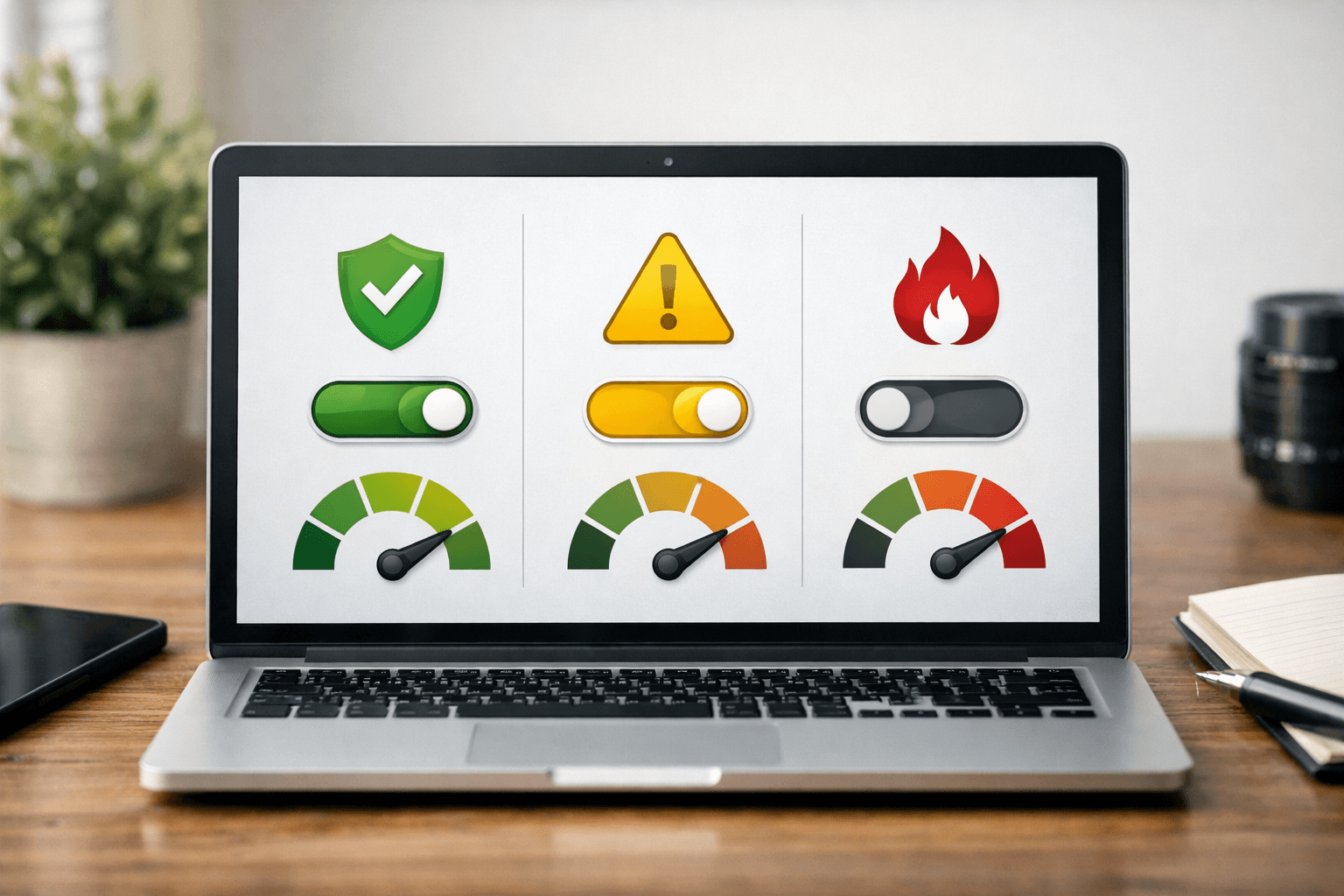
Tsis tsim nyog xaiv ib txoj cai nkaus xwb rau txhua lub plugin. Siv ib qho qauv faib ua theem:
| Pawg plugin | Txoj cai pom zoo | Kev tshuaj xyuas yam tsawg kawg |
|---|---|---|
| Kev them nyiaj, tswv cuab, cov ntaub ntawv neeg siv | Tua qhov hloov tshiab tsis siv neeg, tshuaj xyuas thiab pom zoo los ntawm tes | Staging, thaub qab, tshuaj xyuas kev lag luam thiab log |
| Kev ruaj ntseg, thaub qab, cache | Muab qhov tseem ceeb rau kev hloov tshiab sai tab sis yuav tsum muaj kev saib xyuas | Nyeem changelog, tshuaj xyuas rollback thiab cov lus ceeb toom |
| SEO, cov foos, kev sib txuas | Ncua 24 teev | Staging, foos, webhook thiab email |
| Widget, ntu qauv me me | Yog tias ruaj khov, tuaj yeem qhib qhov hloov tshiab tsis siv neeg | Kuaj nplooj ntawv home thiab Site Health |
Hauv WordPress qhov chaw tswj hwm, koj tuaj yeem qhib lossis tua qhov hloov tshiab tsis siv neeg rau txhua lub plugin. Yog tswj hwm los ntawm WP-CLI, kuj tuaj yeem tshuaj xyuas qhov xwm txheej siv lo lus txib wp plugin auto-updates status ten-plugin; WP-CLI cov ntaub ntawv muaj cov lus txib rau qhib, tua thiab saib qhov xwm txheej sib xws (raws li WordPress.org).
Rau pab pawg thev naus laus zis, khaws qhov kev txiav txim siab rau hauv ib lub rooj tswj hwm uas muaj lub npe plugin, tus tswv, qib tseem ceeb, txoj cai hloov tshiab, hnub tshuaj xyuas zaum kawg thiab tus neeg pom zoo. Qhov no hloov kev hloov tshiab ntawm ib qho haujlwm ua los ntawm tes mus rau ib txoj txheej txheem uas tuaj yeem kuaj xyuas tau.
Yog tias lub vev xaib nquag raug bot luam theej lossis muaj ntau lub ntsiab lus nkag tau rau pej xeem, muab txoj txheej txheem hloov tshiab no txuas nrog phau ntawv qhia kev ruaj ntseg WordPress tiv thaiv bot thiab crawler txawv txawv.
Yuav txiav txim siab hloov tshiab, ncua lossis rov qab kho li cas
Thaum twg yuav hloov tshiab tam sim?
Hloov tshiab tam sim tom qab thaub qab thiab tshuaj xyuas qhov chaw, yog tias qhov kev tso tawm ntawd kho qhov tsis muaj zog loj, tshwj xeeb thaum muaj cim qhia tias tab tom raug siv tawm tsam. Hauv qhov xwm txheej no, txo lub sijhawm raug phom sij yuav muaj txiaj ntsig ntau dua qhov kev pheej hmoo ntawm kev tsis sib haum.
Thaum twg yuav ncua?
Ncua yog tias lub plugin tsis cuam tshuam txog kev ruaj ntseg ceev, qhov kev tso tawm muaj kev hloov loj, tus neeg muab kev pab nyuam qhuav hloov tswv, changelog tsis meej lossis zej zog tab tom ceeb toom txog teeb meem. Tom qab 24 teev, rov xyuas cov lus teb, tshuaj xyuas staging thiab tsuas hloov tshiab rau production thaum muaj neeg saib xyuas.
Thaum twg yuav rov qab kho?
Yog lub vev xaib muaj teeb meem loj, muab lub vev xaib nkag rau hom kho, khaws log, thaij cia qhov xwm txheej thiab rov qab kho lub plugin version lossis tag nrho lub vev xaib los ntawm daim thaub qab uas twb tau tshuaj xyuas lawm. Tsis txhob rho log tawm ua ntej paub meej txog qhov laj thawj. Tom qab ntawd ceeb toom tus tsim txog qhov teeb meem nrog WordPress, PHP thiab plugin version, cov lus qhia yuam kev thiab cov kauj ruam rov tsim qhov teeb meem.
Ib qho yuam kev uas nquag muaj yog tua txhua qhov hloov tshiab tsis siv neeg tab sis tsis teem sijhawm tshuaj xyuas hloov chaw. Txoj kev no txo qhov pheej hmoo ntawm kev hloov tshiab uas muaj teeb meem, tab sis ua rau lub sijhawm uas qhov tsis muaj zog tseem nyob ntev dua. Txoj cai zoo dua yog siv tshuab los sau cov lus ceeb toom, hos qhov kev txiav txim siab hloov tshiab tseem yuav tsum nyob ntawm qib kev cuam tshuam.
Hauv paus ntsiab lus, txheej txheem 24 teev tsis txhais tias yuav ncua txhua qhov kev kho qhov tsis muaj zog. Nws yog ib lub sijhawm tswj tau rau nyeem changelog, tshuaj xyuas qhov chaw, ua thaub qab, sim ntawm staging thiab saib xyuas tom qab hloov tshiab. Rau cov plugin tseem ceeb, yuav tsum tshuaj xyuas thiab pom zoo los ntawm tes; rau cov plugin pheej hmoo tsawg, tuaj yeem siv WordPress plugin auto update tab sis yuav tsum txuas ntxiv khaws thaub qab thiab ceeb toom. Thaum ua tsis tu ncua, koj yuav tiv thaiv WordPress plugin kev ruaj ntseg thiab txo qhov uas ib qho kev hloov tshiab raug cai yuav ua rau lub vev xaib cuam tshuam.
Cov ntaub ntawv siv
