






Target outcome: a pipeline that can receive malicious package alerts, store original evidence, verify the source, identify affected packages and versions, issue versioned decisions, and roll back without deleting history. This design is suitable for teams that already have manifests, lockfiles, software bills of materials (SBOMs), or artifact inventories but currently process alerts in isolation.
This is an architecture and workflow guide, not a ready-to-install product. You still need to choose an event store, database, queue, and policy enforcement system that suit your environment. Do not connect actions block to production at the outset; start with quarantine and monitor, then test the detection path, the safe-rejection path, and the recovery path.
1. Define the Output Before Choosing the Technology
The pipeline output should not be limited to “alert received.” It must be a versioned security decision, traceable back to the evidence and applicable to a specific scope.
allow: insufficient evidence to restrict the package or version;monitor: a signal that requires monitoring but is not sufficient grounds for blocking;quarantine: data that has not passed validation and is not authorized to change policy;investigate: conflicting data, incomplete provenance, or an undetermined scope;block: the package or version is blocked during installation, building, release, or registry access;withdrawn: the alert has been withdrawn or adjusted, but the evidence and history are retained.
Each decision should answer the following questions:
| Question | Recommended data fields |
|---|---|
| Which package is being flagged? | ecosystem, package_name, purl |
| Which versions are affected? | versions or range introduced/fixed |
| Which source reached the conclusion? | source, source_url, source_record_id |
| Is the data trustworthy enough to process? | provenance, payload hash, signature status, receipt time |
| Which decision is currently in effect? | decision, decision_version, effective_at |
| Which state can be restored? | previous_snapshot_id, rollback_state |
Do not turn severity into the sole automatic decision. A malicious package in a production dependency, in a CI runner's installation script, or only in test documentation may require different handling scopes.
2. Separate the Pipeline into Trust Zones
Implement this diagram at the architecture or workflow-engine layer. The tool could be Kafka, SQS, Pub/Sub, PostgreSQL, object storage, or another system; what matters is the separation of permissions and states.
- Ingest zone: receives webhooks, files, or API responses. Data in this zone is not yet trusted.
- Evidence store: stores the original payload, required headers, receipt time, hash, and verification status.
- Normalization zone: converts data to a common model while preserving source-specific fields.
- Decision zone: matches packages, versions, manifests, software bills of materials (SBOMs), or artifact inventories.
- Action zone: issues block commands, creates tickets, sends notifications, or requests credential rotation.
- Audit and rollback zone: stores snapshots, change history, adjustment reasons, and restorable states.
Do not allow a webhook or downloaded file to write directly to the table blocked_packages. If the source is spoofed, sends duplicate records, or alters timestamps retroactively, it could change system behavior before being checked.
3. Prepare Inputs and Access Permissions
Before writing the adapter, determine where each operation will be performed:
- In the source system: create a token or webhook with the minimum required scope, enable signing if the provider supports it, and record the API version.
- In the ingest service: only receive data, check its size, and verify its signature; it must not have permission to modify production policy.
- In the evidence store: enable append-only permissions or object locking; only the investigation team should be able to read the original payload.
- In the worker: perform parsing, normalization, and matching under a separate account, with bounded retries.
- In the consuming system: accept only decisions that have been issued, versioned, and assigned a correlation ID.
At minimum, you need a stable advisory source, an append-only or object-locked storage location, a dependency inventory, and a decision destination such as CI/CD, a registry proxy, a ticketing system, or a notification channel. Without an inventory, the pipeline can only say “the source reported this package”; it cannot conclude that the package exists in your system.
4. Design a Data Model That Preserves Provenance
Provenance is the chain of information that lets you trace which payload was received, from which source, at what time, through which parser and rules, and which decision it produced. In the context of software supply-chain security, provenance helps trace an artifact’s origin and how it was produced; it does not by itself prove that a package is safe (see SLSA Provenance: https://slsa.dev/spec/v1.2/provenance).
This is an illustrative event. The values evt_demo_001 and MAL-DEMO-001 are hypothetical data, not identifiers of a real incident:
{
  "event_id": "evt_demo_001",
  "idempotency_key": "openssf:mal-demo-001:sha256:abc123",
  "correlation_id": "corr_demo_001",
  "source": {
    "name": "openssf-malicious-packages",
    "record_id": "MAL-DEMO-001",
    "retrieved_at": "2024-06-01T10:15:00Z",
    "url": "https://source.example/advisory/MAL-DEMO-001",
    "payload_sha256": "abc123",
    "signature_status": "verified"
  },
  "package": {
    "ecosystem": "npm",
    "name": "example-package",
    "purl": "pkg:npm/example-package",
    "affected_versions": ["1.4.2", "1.4.3"]
  },
  "classification": {
    "kind": "malicious_package",
    "confidence": "confirmed",
    "reason_codes": ["install_script", "credential_exfiltration"]
  },
  "processing": {
    "parser_version": "parser-1.0.0",
    "rule_set_version": "rules-1.0.0"
  },
  "decision": {
    "state": "block",
    "version": 7,
    "previous_snapshot_id": "snapshot_6"
  }
}
Keep three principles in mind:
- Do not overwrite the original payload: a correction must create a new event or revision linked to the previous one.
- Do not use the package name as the sole identifier: combine the ecosystem with an appropriate identifier such as a package URL (purl); the same name can appear in multiple ecosystems.
- Distinguish between version types:
1.4.3is the package version, revision is the occasion on which the advisory changes, whiledecision_version: 7is the occasion on which the system changes its conclusion.
5. Build the Advisory Ingestion Flow
5.1. Receive Data and Prevent Duplicate Processing
In the adapter or handler, create an idempotency_key. Prefer a stable ID supplied by the source. If the source does not provide one, you can construct the key from source + record_id + payload_sha256. Identical payloads must produce the same processing result; a payload with a different hash must create a new revision rather than modify the old event.
The webhook should verify its signature according to the provider’s documentation, limit payload size, set a timeout, and prevent replay using a timestamp or nonce when the source mechanism supports it. The handler should only record the event and respond quickly; the downstream worker should perform parsing and matching.
5.2. Store Evidence Before Analysis
In the evidence store, save the original payload together with:
- the receipt time and, if available, the time the source published it;
- the HTTP status, content type, and API version;
- the payload hash;
- the signature or verification result;
- the account, workload identity, or credential that received the data;
- the versions of the parser and rule set used;
- the processing status, such as
received,validated,quarantineorfetch_failed.
If the data download fails, retain the status fetch_failed; do not interpret this status as “no advisories”. These are two different security conclusions.
5.3. Normalize OSV-style data without losing source fields
The normalization layer should have two tiers:
- Canonical fields: ecosystem, package, version or version range, advisory type, effective time, and status.
- Source-specific fields: fields specific to OpenSSF, GitHub, or other sources, stored as versioned JSON.
OSV-model reports typically represent the affected package, version or version range, detailed content, and references. However, not every advisory includes a CVSS score, a fixed version, or a complete scope. Missing values must remain “unknown”; do not automatically convert them to “none”.
Example representation of a version range in the internal model:
{
  "range_type": "ECOSYSTEM",
  "introduced": "1.4.2",
  "fixed": null,
  "source_expression": "versions: 1.4.2, 1.4.3"
}
Retain source_expression for investigation when the parser interprets the data differently from the source. Do not infer fixed this merely because a newer version does not yet appear in the report.
5.4. Validate before publication
The normalization worker must run at least four validation layers:
- Schema validation: valid JSON, correctly typed required fields, and enum values from the permitted list.
- Semantic validation: the ecosystem matches the package identifier, versions are not contradictory, and the version range is valid under the ecosystem’s rules.
- Provenance validation: the source, hash, signature, or access authorization can be verified.
- Change validation: the change is linked to the previous revision, the actor or workload that made it, and the reason for the change.
If any layer fails, send the event to quarantine. Do not discard the entire source because one record is invalid; likewise, do not publish an unchecked record as though it were valid.
6. Match advisories against the actual inventory
Perform this step in the matcher after the event has passed validation. An advisory becomes a concrete risk only when matched against your inventory. Inventory sources may include:
- an artifact or image SBOM;
- repository manifests and lockfiles;
- the dependency graph;
- an internal package repository;
- a list of deployed artifacts;
- the cache of a runner or build machine.
Match at three levels:
- Identity: do the ecosystem, package name, and package URL (PURL) match?
- Version: is the version in use within the affected set or range?
- Context: is the dependency used at runtime, for development, testing, or as a build tool, or does it appear only in a cache?
GitHub Dependabot provides advisory data through its interface and REST API, including fields such as package, ecosystem, manifest path, scope, and direct/transitive relationship (see the REST API endpoints for Dependabot alerts: https://docs.github.com/en/rest/dependabot/alerts). However, Dependabot alerts do not cover every issue, and a malicious-package advisory is not necessarily generated through the same mechanism as a conventional vulnerability advisory (see Global security advisories: https://docs.github.com/en/code-security/concepts/vulnerability-reporting-and-management/global-security-advisories).
You can start with repository alerts and then expand to specialized sources. See also how to enable Dependabot malware alerts on GitHub to complete the repository-side detection layer; this article focuses on ingestion, provenance, and rollback.
7. Choose actions based on confidence and impact scope
The policy engine should consider the source’s confidence, the package’s scope, and its usage context. Do not use a single rule such as “malware = remove the package”.
| Scenario | Initial safe action | When to escalate |
|---|---|---|
| A malicious package and version have been confirmed in production | Block new uses of the version, isolate related artifacts, and open an incident | Investigate execution history, credentials, and artifacts that have been released |
| The package is present only as a development dependency | Block CI, create an upgrade or removal ticket | Escalate if the installation script runs on a runner with access to secrets |
| Conflicting source data or incomplete provenance | Place it in quarantine and notify the security team | Consider temporarily blocking it if the package is about to be released and the risk is high |
| Advisory withdrawn | Create a correction event and move the decision to withdrawn | Restore allow or monitor after checking other rules |
If the package has run on a runner with a token, removing the package does not mean the machine is clean. You may need to revoke and reissue credentials, inspect access logs, review generated artifacts, and assess persistence. This is incident response and should not be fully automated based solely on a severity field.
8. Design rollback without deleting evidence
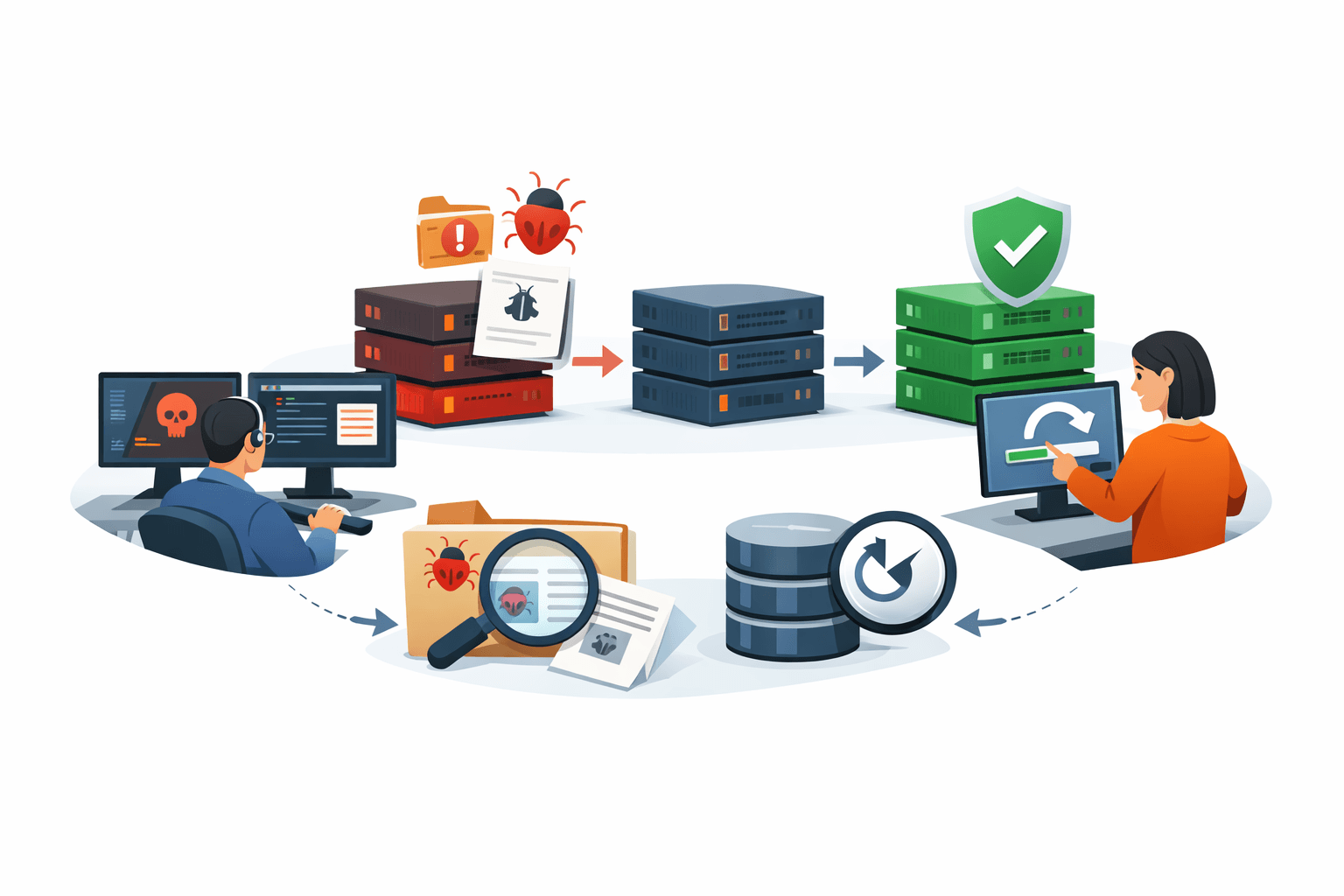
Rollback must restore the serving state, not delete history. Proceed in the following order:
- Before issuing a new decision, create an immutable snapshot, such as
snapshot_42. - Associate the new decision with
previous_snapshot_id. - Publish a new index with an incremented version number.
- When an error is discovered, create a correction event that points to the relevant advisory and snapshot.
- Rerun the matcher against the current inventory and check the other rules.
- Approve the target snapshot, recording the actor, reason, and timestamp.
- Publish that snapshot to consuming systems and send a correction notification.
Hypothetical example:
snapshot_41: allow example-package@1.4.3
snapshot_42: block example-package@1.4.3
snapshot_43: withdrawn MAL-DEMO-001
active_snapshot: snapshot_43
In this example, the system does not delete snapshot_42. It only changes the applied state to snapshot_43. This allows the team to see why the version was previously blocked, who issued the decision, and when the advisory was revised.
Checks before rollback
- Was the advisory actually withdrawn, or did only the affected-version range change?
- Is the current rule blocking the package because of another source?
- Were any artifacts released while the advisory was in effect?
- Does rollback only change the inventory label, or does it also reopen installation permissions in CI/CD?
- Should a temporary deny rule remain in place for a specific package or registry?
Rollback changes only the pipeline's data and decisions. It does not restore exposed credentials, delete payloads that have run, or guarantee that a machine is clean.
9. Use an event-driven workflow while retaining control
In a workflow engine or queueing system, the processing flow could be:
source webhook/file/API
        |
        v
raw evidence store
        |
        v
schema + provenance validation
        |
        v
normalizer
        |
        v
package/version matcher
        |
        v
policy decision
        |
        v
quarantine | monitor | block | investigate
        |
        v
notification, ticket, CI/CD gate, audit log
Each step should declare:
- input contract: what type of data it accepts;
- output contract: what event it creates;
- retry policy: how many times transient failures are retried;
- dead-letter path: where unprocessable data goes;
- correlation ID: used to trace the process from the advisory to the final action;
- owner: the team responsible when a parser or policy fails.
Do not let a worker retry indefinitely with the same payload. After the predefined number of attempts, store the error in structured form and move the event to a dead-letter queue for manual handling. Otherwise, a malformed advisory could clog the entire pipeline.
10. Protect the pipeline itself from exploitation
Because the pipeline can change policy, call repository APIs, and send notifications, it must be protected as a separate component. Minimum controls include:
- the ingest account has permission only to write to the raw evidence store and read the necessary metadata;
- the normalization worker must not be able to grant itself permission to change production policy;
- the permission to publish
blockor roll back is separate from the permission to modify parsers; - secrets must not appear in payloads, logs, or notifications;
- reference URLs in advisories must be treated as untrusted data; avoid SSRF when accessing them automatically;
- parsers must limit payload size, JSON depth, the number of versions, and processing time;
- every policy change must undergo review, receive a version, and have a path to revert to the previous policy;
- decisions must be reevaluated when the source updates the advisory.
Provenance helps trace where an artifact came from and how it was created, but it does not by itself prove that a package is non-malicious. Provenance still needs to be combined with inventory data, behavioral analysis, runtime permissions, and incident-response information.
11. Run acceptance tests before enabling automatic blocking
Run the following test cases in a test environment using simulated fixtures; do not begin with a real advisory:
- Send two identical notices and verify that processing is idempotent and does not create two actions.
- Modify the advisory content and verify that the new revision does not overwrite the old raw evidence.
- Send a record missing the package or ecosystem and verify that it enters quarantine.
- Match a package at an affected version against a version that is not affected.
- Withdraw an advisory and verify the correction event, the new active snapshot, and the audit trail.
- Run a rollback and verify that the old snapshot remains readable and that other rules continue to apply.
- Send two sources reporting the same package and verify that they are merged under the canonical key while the source list is retained.
- Make the parser or source time out and verify the retry and dead-letter paths.
- Verify that notifications include a correlation ID, package, version, reason, and recommended action.
- Add a package from a different ecosystem to the fixture and verify that the rule does not incorrectly block the entire ecosystem.
- Check permissions to ensure that ingest cannot modify production policy without going through the approval step.
Enable automatic blocking only after all three paths produce observable results: correct detection, safe rejection when the data is invalid and recoverability when a decision is wrong.
12. A beginner-friendly implementation roadmap
- Phase 1 — evidence: ingest one source, store the raw payload as immutable data, and create a hash and correlation ID.
- Phase 2 — normalization: support the ecosystem, package, version, status, and provenance; do not enable automatic blocking yet.
- Phase 3 — matching: connect an SBOM, lockfile, or dependency graph to determine whether the package actually appears in the system.
- Phase 4 — decisions: publish
monitor,investigateandblockenforce versioned policies. - Phase 5 — rollback: add snapshots, correction events, approvals, and recovery testing.
- Phase 6 — expansion: add GitHub, OpenSSF, registries, or internal sources; give each source its own adapter and fixture set.
This approach is slower than writing a webhook that sends data directly to a blocklist, but it reduces the risk of losing traceability and allows you to modify the parser, policy, or data source without rebuilding the entire system.
13. Completion checklist
- Raw payloads are stored in an append-only area with their hash, receipt time, and verification status.
- Each event has an idempotency key, correlation ID, and parser/rule version.
- The data model distinguishes package version, advisory revision, and decision version.
- Schema, semantic, provenance, and change validation each have clearly defined error states.
- Advisories are matched against an SBOM, lockfile, dependency graph, or artifact inventory.
- The policy includes appropriate quarantine, monitor, investigate, block, and withdrawn states.
- Rollback uses a snapshot or correction event and does not delete evidence.
- Retries are bounded, a dead-letter path exists, and an owner is assigned for handling failures.
- Duplicate events, advisory corrections, parser failures, version ranges, and rollback have been tested.
- Data rollback handling is separated from response to compromised credentials or machines that have executed the package.
Conclusion
A malicious-package advisory pipeline that supports detection and rollback is an evidence and decision management system, not a notification relay. At a minimum, the design needs immutable raw evidence, a normalized schema, provenance, unambiguous package identification, inventory matching, versioned policy, snapshots, and an audit trail.
The most important principle is: do not delete an old conclusion to replace it with a new one. Publish a new state linked to the previous state, check the scope of impact, and only then change the action that other systems are enforcing.
Reference source
