






The short answer: in Blogger, go to Pages to create each Page, enter the information you have verified, preview it, and then publish it. Before writing the Privacy Policy, inventory your email, comments, analytics tools, embedded content, advertising, and the other services you actually use. Then go to Layout to add the published Pages to the menu and check them in a private window on both a computer and a phone.
After completing this article, you will have a complete process for creating an About Page, a Contact Page, and a Privacy Policy Page. The result is considered complete when each Page opens at a public URL, the content contains no remaining placeholders, the contact method has been tested successfully, and the menu leads only to real destinations. The policy below is a practical framework, not legal advice or a guarantee of compliance in every country.
The example used throughout is SaibABC Blog, a planned practice project on Blogger. This is not evidence that the blog has an address, readers, or published Pages. When working on your own blog, replace every bracketed section with verified information.
Prepare Real Information Before Creating the Pages
The three Pages are useful only when they accurately reflect the responsible party and the blog’s actual operations. First, record the following:
- Blog name: the official display name, such as SaibABC Blog.
- Responsible party: the actual individual, group, or organization operating the blog. If you do not want to publish an individual’s name yet, identify an honest alternative name to use.
- Purpose and scope: what the blog covers, whom it serves, and what it does not provide.
- Public address: the actual Blogspot URL or custom domain. If you do not have one yet, leave a placeholder such as
[địa chỉ Blogspot thực hành]; do not turn it into a link. - Contact method: an email address, form, social media account, or another method that you can actually monitor.
- Third-party services: Blogger, Google Analytics, form tools, embedded content, advertising, affiliate marketing, email newsletters, or other services if the blog uses them.
- Information collected: data readers submit through email, forms, or comments, or technical data recorded by analytics tools.
Do not write “we do not collect data” if the blog has a contact form, comments, analytics tools, or embedded content that may send requests to an external service. Google describes Google Analytics as potentially collecting user numbers, session statistics, approximate location, and browser and device information; therefore, include Analytics in the policy only if you have installed it and are using it (according to support.google.com).
Before you begin editing, copy the content templates into a separate document and record the update date. This copy helps you restore the content if you make an editing mistake; it does not replace securing your Google Account or backing up the entire blog.
Write the About Page with the Information Readers Need
The About Page does not need to tell your entire story. Its purpose is to help readers understand whom the blog serves, how its content is developed, and who is primarily responsible for it.
A Fill-in Content Framework
About [tên blog]
[Tên blog] shares [chủ đề chính] for [nhóm người đọc]. The blog’s goal is to help you [kết quả cụ thể] by [hướng dẫn, ví dụ, checklist hoặc loại nội dung thực tế].
The person responsible for this blog is [tên cá nhân/tên nhóm/tổ chức]. I focus on [phạm vi chuyên môn hoặc kinh nghiệm có thể nói trung thực]. When content needs updating or further verification, I will try to clearly identify its sources and limitations.
The blog does not [nêu giới hạn quan trọng, nếu có]. The content above is intended to [mục đích thông tin/thực hành], and is not a substitute [tư vấn chuyên môn hoặc dịch vụ cụ thể nếu phù hợp].
You can contact us via [phương thức liên hệ thật].
For an illustrative example, the About page could begin as follows:
About SaibABC Blog
SaibABC Blog is an illustrative project about Blogger, website development and content creation for beginners. The blog aims to share knowledge through step-by-step tutorials, practical examples and easy-to-follow checklists.
Enter the real name of the person, group or organization responsible and a real contact address before publishing. Do not use this section to imply that SaibABC Blog already has an established address or operates publicly.
Remove claims such as “the leading team of experts” if you cannot substantiate them. A short, accurate page is more credible than a long, generic or exaggerated introduction.
Choose a Contact Method That Someone Can Actually Monitor
Beginners often make the mistake of listing an email address that has not been created, using a form that cannot send messages, or linking to a social media account they do not control. Choose a method that you can check regularly.
| Method | Suitable when | What to check |
|---|---|---|
| You want to start simply and handle requests individually | The inbox receives a test message, the address is spelled correctly, and you have a way to filter spam | |
| Form | You want to standardize fields such as name, email address and message | Where the data is received, whether a successful-submission notice appears, how replies are sent and what the retention policy is |
| Social media | You actively monitor that channel | The account is active, the link points to the correct page, and readers are not asked to provide sensitive data |
For a new blog, email is usually the easiest option to check. You can write: Liên hệ: [địa chỉ email dành cho blog]. Replace the placeholder only after you have created or verified the mailbox.
Contact Page Template
Contact [tên blog]
If you have questions about the content, find a broken link or would like to send feedback, contact us at:
- Email: [địa chỉ email thật]
- Expected response time: [khoảng thời gian thực tế, nếu bạn muốn công bố]
Please do not send passwords, verification codes, payment information or sensitive data through this channel. When sending an email or submitting a form, provide only the information necessary for the purpose of contacting us.
If you cannot commit to a response time, remove this line instead of promising to “reply within 24 hours.” There is no need to create a complex form before you have a clear process for handling and storing submissions.
Audit Your Data Before Writing the Privacy Policy
A privacy policy should not be copied wholesale from a template. It must describe what the blog collects, why it is needed, where it is stored, whom it is shared with and how readers can make privacy-related requests.
| Blog component | Data that may be involved | What you need to confirm |
|---|---|---|
| Contact email | The email address, name and message content provided by the sender | Who reads it, which mailbox stores it and when it is deleted |
| Comments | Display name, content, timestamp and account data, depending on the settings | Whether comments are enabled, moderated or allowed anonymously |
| Google Analytics | Engagement information, browser, device and approximate location data, depending on the configuration | Which property is in use, the retention period and the consent mechanism, where applicable |
| Video, map, font or other embedded content | Requests to load resources from an external provider | Whether the blog actually embeds the service and what data the provider may process |
| Advertising or affiliate marketing | Data related to advertisements, links or transactions | The provider, how the commercial relationship is disclosed and the available privacy choices |
If you do not use a service, do not include it in the policy simply because it appears in an online template. Conversely, if you later add Analytics, a form, advertising or an email newsletter, review the policy and consent mechanism before making the new feature public. Google also notes that the use of measurement tools may be subject to data-protection laws and notification or consent requirements, depending on the circumstances (see support.google.com).
Conditional Privacy Policy Template
The template below is a practical framework, not a document guaranteed to be suitable for every country, business model or Blogger configuration. Delete any sections that do not apply and replace the placeholders with verified information.
Privacy Policy for [tên blog]
Last updated: [ngày/tháng/năm]
1. Responsible entity
[Tên cá nhân, nhóm hoặc tổ chức] is responsible for [tên blog]. You can contact us about privacy at [email hoặc phương thức thật].2. Information You Provide
When you contact us through [email/biểu mẫu/bình luận], the blog may receive [các loại dữ liệu thật sự được yêu cầu, chẳng hạn tên, email và nội dung tin nhắn]. Do not send passwords, verification codes, or unnecessary sensitive data.3. How We Use Information
The information is used to [trả lời yêu cầu, xử lý góp ý, kiểm duyệt bình luận hoặc mục đích thật khác]. The blog does not use the information for other purposes unless there is an appropriate legal basis or notice is provided when required.4. Third-Party Services
The blog uses [chỉ liệt kê dịch vụ đang dùng]. These services may process data under their own privacy policies. If the blog uses Google Analytics, describe the actual configuration, the types of data involved, and the applicable control options. If it does not, delete this section.5. Retention and Security
Information is stored in [hộp thư, hệ thống biểu mẫu hoặc nơi lưu trữ thật] for as long as necessary for [mục đích thật]. I apply reasonable measures within my ability to manage the blog, but I do not claim to guarantee absolute security against every risk on the Internet.6. Your Rights and Requests
You can contact us at [địa chỉ thật] to ask about information relating to you or to request correction or deletion where permitted by applicable law. The blog will review each request in light of the applicable rules and the circumstances.7. Changes to This Policy
This policy may be updated when the blog changes its features, services, or data-processing practices. The latest update date will be shown at the top of the page.
If the blog targets or serves people in the European Union, requirements may include transparency about the controller, purposes, legal basis, data recipients, and individual rights. The European Commission lists rights such as the right to be informed, access, rectification, erasure, restriction of processing, data portability, and objection in appropriate circumstances (see commission.europa.eu). This is why you should not treat an online template as general legal advice.
Create and Publish Three Pages on Blogger
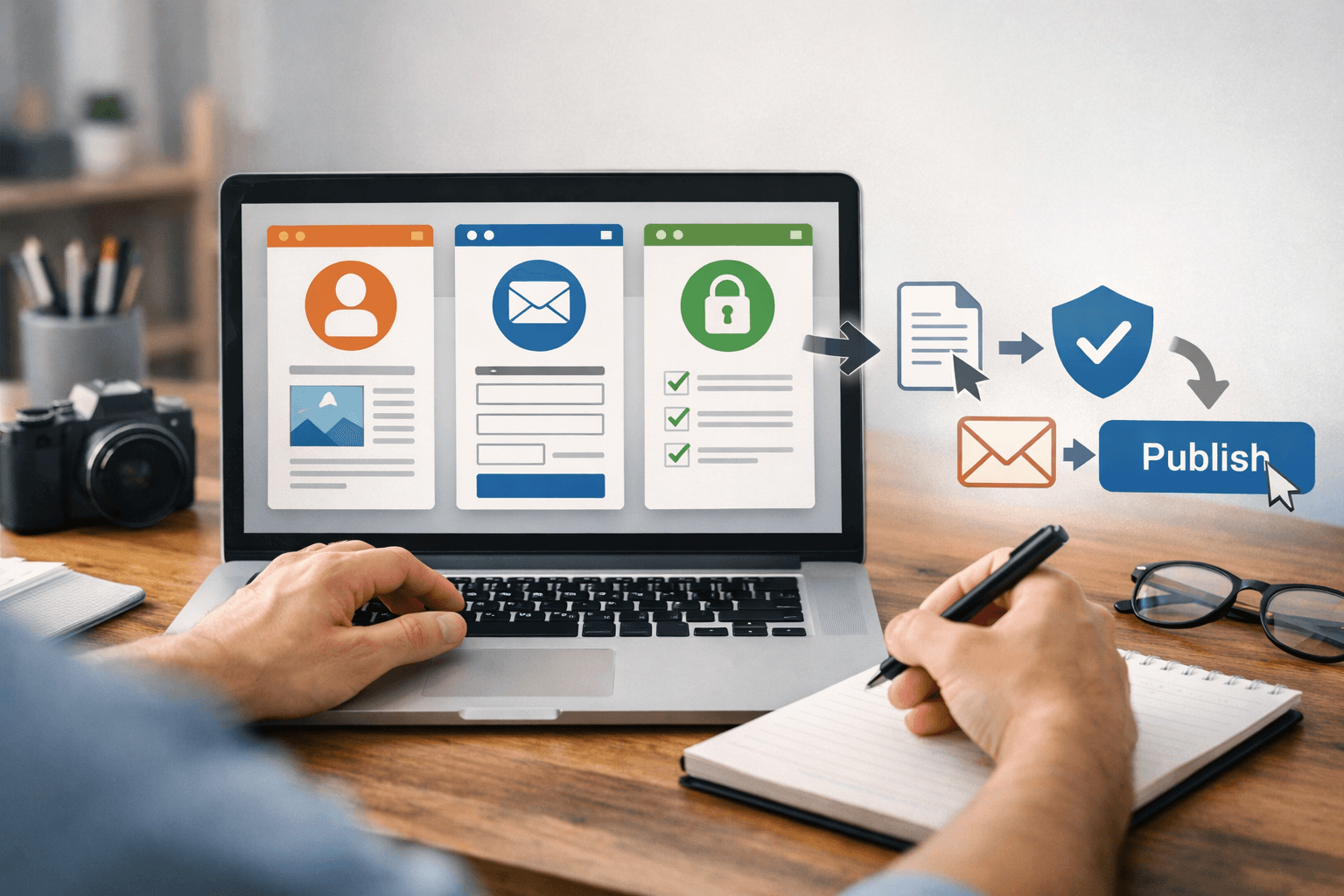
Perform these steps in the web dashboard for the correct blog:
- Sign in to Blogger and verify the Google Account name and the blog currently open.
- In the left-hand menu, select Pages, then select New Page.
- Enter one of these titles: About, Contact or Privacy Policy.
- Paste in the edited content, replace the placeholders with real information, and delete any sections that do not apply.
- Select Save to save a draft, or Preview page to preview it.
- Select Publish only after checking the content, email address, links, and update date.
- Repeat the process for the other two Pages.
Blogger’s official Help documentation confirms that Pages are suitable for stable content such as “About” or “Contact” and can be created, edited, previewed, and published from the Pages section (see support.google.com). Button names may vary depending on the interface language, but you must distinguish Pages from Posts: these are relatively stable information pages, not time-ordered posts.
Add the Published Pages to the Menu
Perform this step only after all three Pages have public URLs:
- In Blogger, open Layout.
- Find the Pages gadget or the corresponding menu area. If it is not already present, add the Pages gadget.
- Select the published Pages you want to display and arrange their order.
- Save the layout, then open the public URL to check it from outside the administration interface.
SaibABC Blog’s initial menu may include Home, Blogger Tutorials, About and Contact when the corresponding destinations exist. The Privacy Policy item may be placed in the main menu or footer, depending on the layout. Do not add “Blogger Tutorials,” “Content Writing,” or labels without real destinations simply because they are part of the plan.
In Blogger’s workflow, you can choose which Pages appear in the Pages gadget and arrange the gadget’s position in Layout (according to support.google.com). If a Page URL does not open while you are signed out, correct the publication status or reading permissions before adding it to the menu.
Check the result from the reader’s perspective
Copy the blog URL, open it in a private window or a browser where you are not signed in, and check the following:
- The home page opens without requiring a sign-in if the blog is publicly accessible.
- The menu displays the correct names: About, Contact, and Privacy Policy.
- Each item opens the correct Page rather than a placeholder URL or an error page.
- The About page accurately states the blog’s purpose, audience, and responsible individual or organization.
- The Contact page uses a real address; send a test email or form submission and confirm where it is received.
- The Privacy Policy page includes an update date and lists only the services actually in use.
- No placeholders remain, such as
[địa chỉ email thật]or[tên blog]. - On a phone, the text is easy to read, the menu is easy to tap, paragraphs do not overflow horizontally, and no gadget obscures the content.
- If there are external links, open each one and confirm that it leads to the correct destination domain.
If the blog restricts reading access, it may not open in a private window. Blogger allows a blog to be public or limited to authors and selected readers; therefore, being able to view a Page while signed in is not enough to confirm that other people can access it (according to support.google.com).
Common problems and recovery steps
| Symptom | Possible cause | Resolution |
|---|---|---|
| A menu item is present, but it opens an error page | The Page has not been published, or the URL was entered incorrectly | Open Pages, check the status, and copy the public URL again |
| The email address does not receive messages | The address is incorrect, the message went to spam, or the form is not configured | Send a test message, check the spam folder, and confirm the recipient before publishing the address |
| The policy says that Analytics is used, but the blog does not have it installed | A template was copied without reviewing the services actually in use | Remove the inapplicable section and audit the tools that are currently active |
| The Page is long and difficult to read on a phone | Paragraphs are too long, headings are missing, or the interface’s sidebar takes up too much space | Divide the content into sections, shorten the sentences, and check it again on a small screen |
| The About page claims achievements that do not exist | The project’s plans have been presented as actual results | Rewrite the statements as plans or remove information that has not been verified |
If you find an error after publishing, first copy the current content into a separate document and record the URL. Remove the incorrect menu item so readers do not continue to reach the broken destination; then edit the Page in Pages and republish it. If the content cannot yet be verified, save it as a draft or temporarily leave the Page out of the menu instead of leaving inaccurate information publicly accessible.
Completion exercise and next steps
Create a four-column table: Component, Verified information, Where it was verified and Status. Include at least rows for the responsible individual or organization, contact email, comments, Analytics, embedded content, and advertising. Mark an item as “Not used” instead of leaving it blank when a service does not apply.
This task is complete when you have three published Pages, the menu items lead to valid destinations, the email or contact form has been tested, and the mobile version has no obvious issues. This does not mean that the policy guarantees compliance with every law or that the blog qualifies for AdSense.
If you purchase a custom domain later, review the menu URLs, contact address, and descriptions before switching. When you need to choose between a Blogspot address and a custom domain, you can switch to A Custom Domain for Blogspot: When to Buy One and What It Costs.
Reference source
- Add pages to your blog — Blogger Help.
- Manage your blog’s settings — Blogger Help.
- Data collection — Analytics Help.
- Safeguarding your data — Analytics Help.
- Information for individuals — European Commission.
- Regulation (EU) 2016/679 — EUR-Lex.
